> ## Documentation Index
> Fetch the complete documentation index at: https://docs.finbar.com/llms.txt
> Use this file to discover all available pages before exploring further.
# Documents
> Working with individual financial documents
## Overview
finbar maintains its own database of financial documents, which are sourced from investor relation web sites, exchanges, and other public sources.
We aim for scheduled documents to be available within minutes of release. If a document is not available, contact your finbar representative to request priority onboarding.
Documents are available from their relevant organization page.
### Document types
We use a unified classification system for documents to improve consistency and ease of use. The following document types are available:
* **Full financial report**: a complete financial report, such as an annual report, 10-K, 10-Q, registration document, etc. This should have the most extensive disclosure of financial information.
* **Press release**: a scheduled press release associated with an earnings event.
* **Presentation**: a scheduled presentation associated with an earnings event.
* **Transcript**: a transcript associated with an earnings event.
* **Partial financial report**: a document containing financial information when distinct from the full financial report and press releases.
* **Management commentary**: a management commentary, when distinct from the full financial report and press releases.
* **ESG report**: an ESG report, when distinct from the full financial report and press releases.
* **Additional data**: additional data, such as supplementary data disclosure.
* **Other**: any other document type.
We store the original source of the document, which is available for download via our platform. We currently support PDF, HTML, and XLSX formats.
### Viewing documents
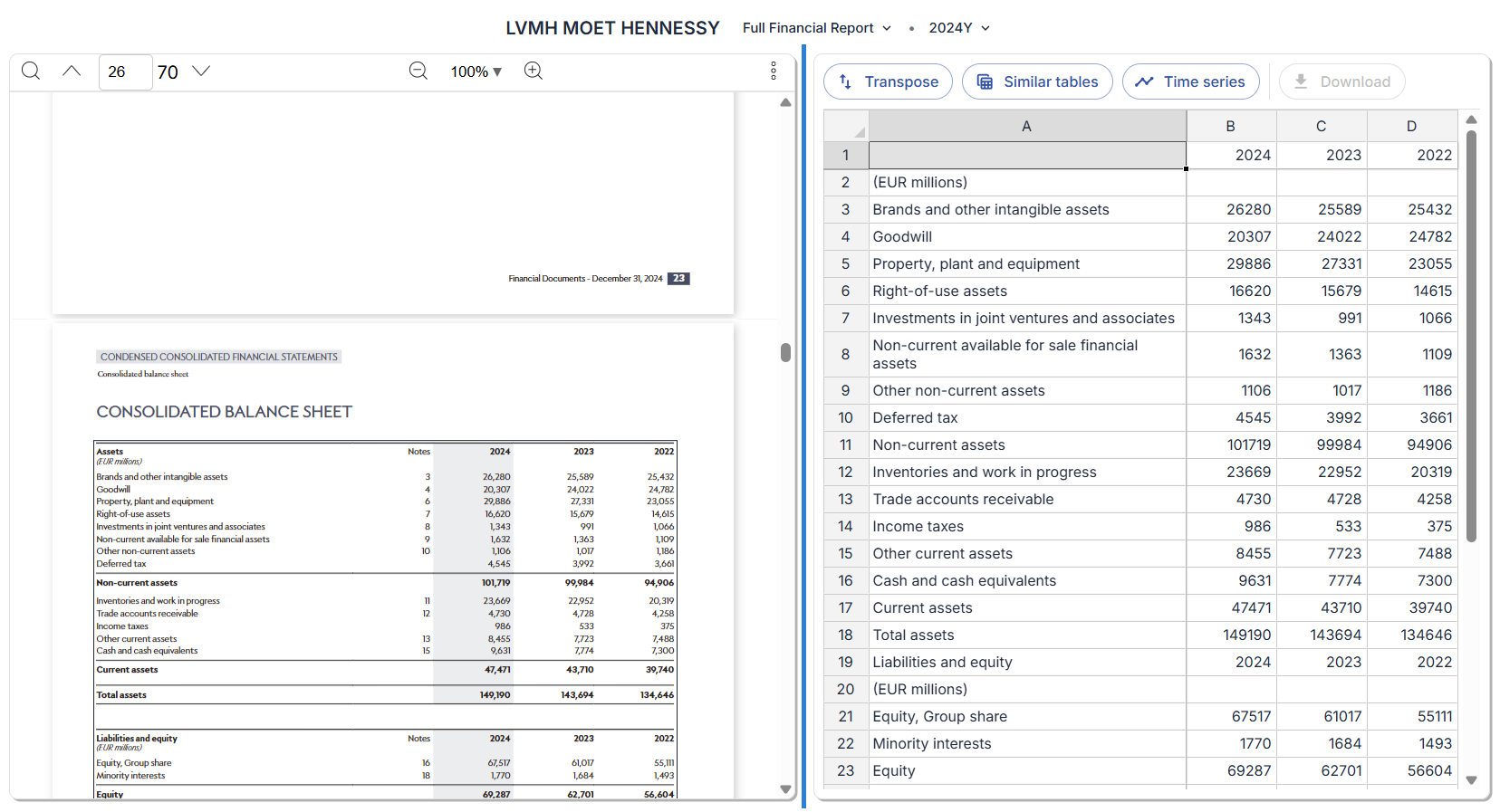
Click on any document to open it. The viewing platform will open, which includes features to extract, analyze, and manipulate data.
When in the document viewer, you can use the links at the top of the page to navigate to other documents, tables within the document, or to the organization page.
Interact with the document to bring up relevant analysis depending on your selection. The panels in the viewer can be resized by clicking and dragging between the panels.