AI-powered research
Use Finbar as an AI researcher to power your research workflows.
One of Finbar's flagship AI interface designed specifically for financial research work. It interfaces directly with the platform's spreadsheet, charting, and report-writing suite, leveraging Finbar's proprietary fundamental and market datasets.
Use cases
The AI interface can be used for almost any financial research workflow. Some examples include:
- Building financial models: will create a spreadsheet with every historical datapoint fully traceable back to the original document.
- Benchmarking relative company performance: will pull together datapoints across different companies into one sheet, with options to further analyze or chart this data.
- Writing research reports: can load necessary data, run calculations in the spreadsheet, then draft a research report include data and charts.
Getting started
The AI interface is loaded by default under the 'AI' tab in the workspace.
Type any request or message into the chat to start interacting with the chat. It will have context of your workspace, including any selection you've made in the workbook, or document you're currently reading.
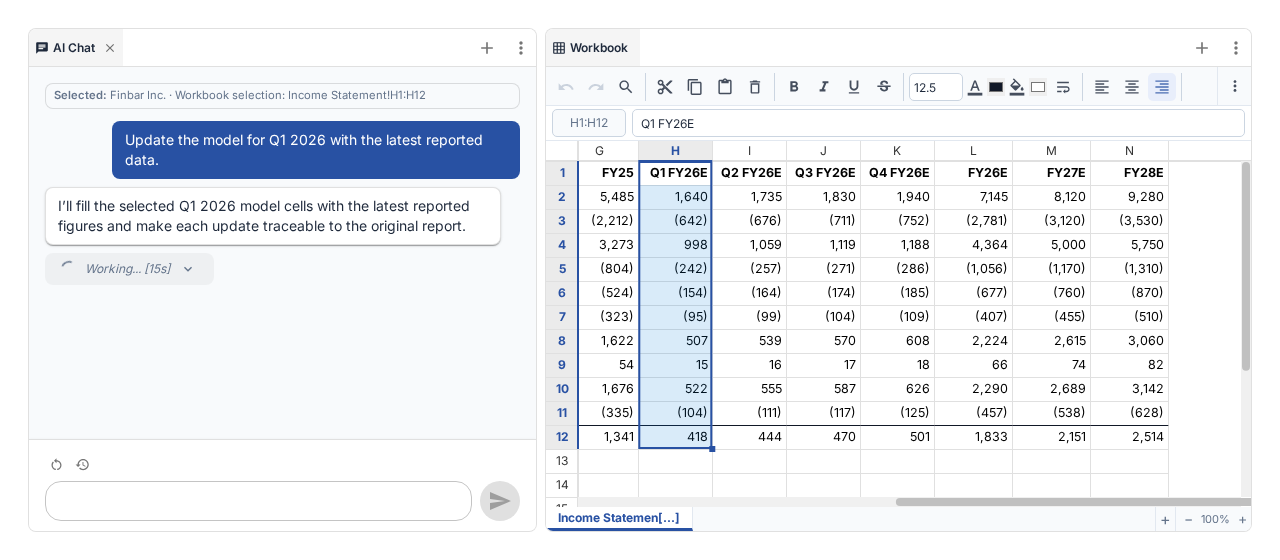
The AI has access to a highly-specialised set of tools, including:
- Searching and extracting data across all the universe of documents and datapoints on the Finbar platform
- Access to price and market data
- Editing tools for the in-app spreadsheet and writing tools
- Web search
Advanced configuration
Next to the chat input bar at the bottom, there are several extra options to configure the chat.
Resume chat: this keeps a list of recent prior chats you've made. Click on any to restore that chat and resume from where you left off. Note that if changes were made to workbooks or reports via the previous chat that no longer exist, these won't be reapplied unless you specifically ask it to recreate it's edits.
Overwrite warnings: this allows you to control how often Finbar should warn you before making changes to your spreadsheet. Click to switch between the options:
- Warn on all: every spreadsheet edit requires manual approval
- Warn on overwrite: every spreadsheet edit that would modify existing data requires manual approval
- Auto-approve all: all edits are automatically executed
If approval is required, a subwindow in the chat will show a visualisation of what the AI is proposing to change.
Billing
Finbar's AI tooling is subject to usage limits. Different tiers will have different limits per month, represented by credits. Credits can be used for any AI or other execution-heavy workflow.