Spreadsheets
Create and edit spreadsheets directly in Finbar.
Finbar includes an in-built custom spreadsheet engine, accessible in the "Worksheet" tab. Familiar spreadsheet tools like selection, styling, formulas, and charting are built-in, as well as several custom features designed specifically for financial research and AI-assisted workflows.
Getting started
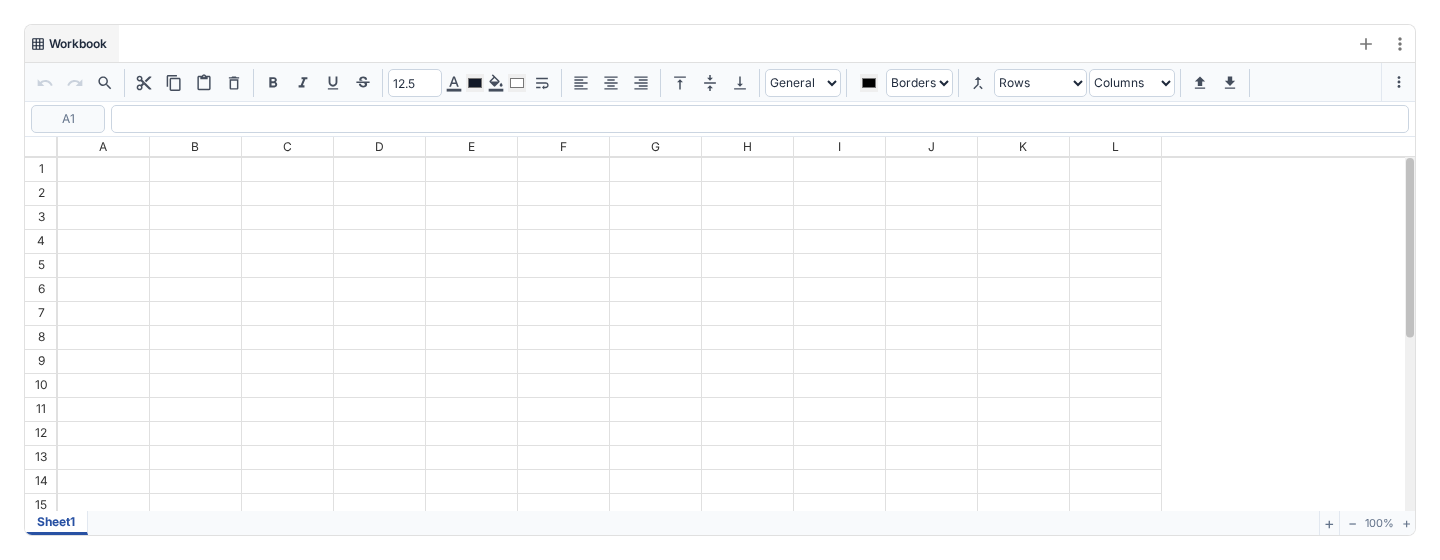
You can use keyboard shortcuts or the toolbar to interact with the spreadsheet. By default, only one row of tools are shown in the toolbar - click the triple-dots on the toolbar to expand and see the full list.
The platform supports import and export of .xlsx files. Be aware that, although extensive effort has been put into making this process compatible with external programs, the interface may not always exactly replicate data.
The Finbar spreadsheet engine is custom-built to better support financial workflows. This includes - special data-tracing capabilities to open the original document source of any fundamental datapoint from Finbar's database; custom charting and financial modelling features (used in our pre-built models); and fully native AI integration (see more in the AI section).
Finbar data formulas
Use dedicated functions to fetch company names, entity IDs, prices, market cap, and expected reports.
Start typing =FINBAR. or =FB. to see available functions; selecting one shows its
signature, description, and the argument you are editing. Nested formulas also
show a small indented outline with the current function marked. Long outlines
use ellipses while keeping the current function visible.
When editing an existing formula, arrow keys move through its text. When writing
a formula in a blank cell, arrow keys can select cell references. Press F2
while editing to toggle between these modes. A small tooltip footer shows the
mode for existing formulas; for a new blank cell it appears only after you
explicitly press F2. With reference mode enabled, place the caret anywhere inside
a cell address and use the arrow keys to adjust that address in place. Absolute
$ markers, sheet names, and the rest of the formula are preserved.
| Formula | Returns |
|---|---|
=FINBAR.NAME(A2) | Stored Finbar company name for the matched identifier. |
=FINBAR.ID(A2) | Matched Finbar entity ID. |
=FINBAR.PRICE(A2) | Latest available daily close, adjusted when supplied by the source. |
=FINBAR.PRICE_CLOSE(A2,DATE(2026,10,1)) | Close on an exact trading date. |
=FINBAR.PRICE_OPEN(A2,$B$1) | Opening price on the date in B1. |
=FINBAR.MARKET_CAP(A2) | Current market cap in the listed currency. |
=FINBAR.NEXT_REPORT_PERIOD(A2) | Expected reporting period, such as 2026Q3. |
=FINBAR.NEXT_REPORT_DATE(A2) | Expected report date, usable in date arithmetic. |
Every function also accepts the shorter FB. prefix, for example
=FB.PRICE(A2). Names are case-insensitive. PRICE and PRICE_CLOSE
are equivalent. All three price functions accept an optional date; omit it for
the latest available daily observation. Name, ID, market cap, and report functions accept
only the company identifier.
Use =FINBAR.NAME(A2) and =FB.ID(A2) to check which company an input
resolves to: they use the same identifier lookup as the other functions.
In these examples, A2 contains an unambiguous company identifier such as
AAPL US or a Finbar organisation ID. Company names and fuzzy matching are not
supported. Keep identifiers with leading zeroes as text. Dates may be spreadsheet
dates, DATE(...), or quoted "YYYY-MM-DD" text. A requested date must match an
available trading date: weekends and missing observations return #N/A.
Prices are daily observations, not intraday quotes, and no currency conversion
is performed.
Lookups are grouped into batches, so large sheets fill in as each batch completes.
#LOADING means a lookup is pending, #N/A means data is unavailable, and
#VALUE! means invalid arguments. Use the Refresh Finbar data icon beside Open source in the toolbar to refresh
the workbook's lookups; there is no background polling. The former
FINBAR(metric, identifier) syntax has been removed.
Saved workbooks and XLSX exports preserve formula text and cached results. Neither namespace is registered as a native Excel custom function, so exported formulas cannot be expected to recalculate in Excel.